What is SharedShoppingList?
SharedShoppingList is a browser extension for a handful of major supermarkets and retailers (see Supported stores). Family and friends add items to a shared list straight from product pages; whoever does the shopping opens the extension, jumps to each pending item, adds it to the cart, and marks it done.
There's no app to install on your phone and no account to sign up for — just a browser extension and a link.
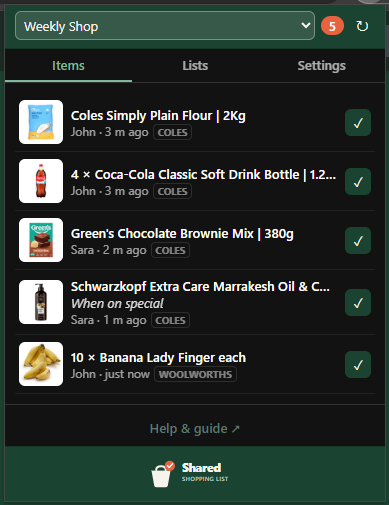
Everyone uses the same extension
There aren't different apps for different people — everyone installs the same extension. The only question is whether you're starting a new list or joining one someone already shared. Both take a couple of minutes, and neither requires running a server.
| You want to… | What you do | Start here |
|---|---|---|
| Join a list — someone sent you an invite link | Paste the invite link, then add items as you browse | Join a list |
| Create a list — start a fresh one and invite others | Type a name, hit Create, share the invite link | Create a list |
Anyone can create a list right from the extension. Behind the scenes it talks to a shared server that's already built in, so there's nothing to set up — you just name your list and go.
The built-in server is all most people ever need. If you're technical and want to self-host the backend, that's a separate topic — see Run your own server.
How it works, briefly
- Someone creates a list from the extension — just a name and a click. No server to run.
- Creating a list produces an invite link like
https://api.sharedshoppinglist.xyz/join/AbC123…. The link carries everything needed to connect, so nobody types a server address. - Everyone installs the extension and pastes the link once.
- As anyone browses a supported store, an Add button on each product page puts the item on the shared list.
- The shopper works through the list in the popup and marks items actioned.
Ready? Install the extension →